准备工作
编译需要用到以下工具:
- Perl version 5.12 or later [http://www.activestate.com/activeperl/]
- Python version 2.7 or later [http://www.activestate.com/activepython/]
- Ruby version 1.9.3 or later [http://rubyinstaller.org/]
- CMake
- ninja(将ninja.exe复制到源码目录)
配置编译选项
在源码目录执行以下命令,就可以生成静态链接运行时库的Qt静态库了。
configure -prefix "C:\Qt" -confirm-license -opensource -debug-and-release -static -static-runtime -platform win32-msvc -opengl desktop如果需要一些第三方组件,可以像加上第三方组件的配置,如下所示。
configure -prefix "C:\Qt" -confirm-license -opensource -debug-and-release -static -static-runtime -platform win32-msvc -plugin-sql-sqlite -plugin-sql-odbc -qt-zlib -qt-libpng -qt-libjpeg -opengl desktop编译
配置完成后执行ninja.exe即可完成编译,而后执行ninja.exe install即可将库文件和头文件都拷贝到之前-prefix指定的目录中。
清理
ninja.exe -t clean
可能遇到的问题
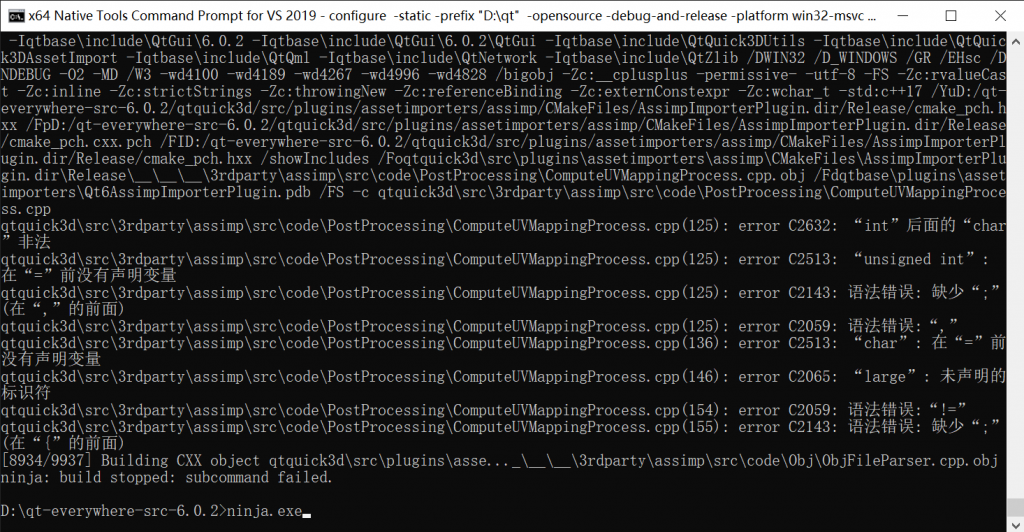
如果编译遇到下面这个问题,可以按照下面链接中的方法解决。
发表回复